
AI Beat Maker
Dial in tempo, energy, and instruments for a vocal-free beat.
Sound
Tempo
Energy
Instruments
Structure & Style
Genre
Beat Structure
Listen to examples
Hear What AI Can Create
Create Amazing Beat Maker with VaelixAi
Describe the beat you want and generate trap, lo-fi, EDM, jazz, and other instrumentals in minutes. Instrumental-only — no vocals, pure production.
Professional Beats Without the Studio
Try AI Beat Maker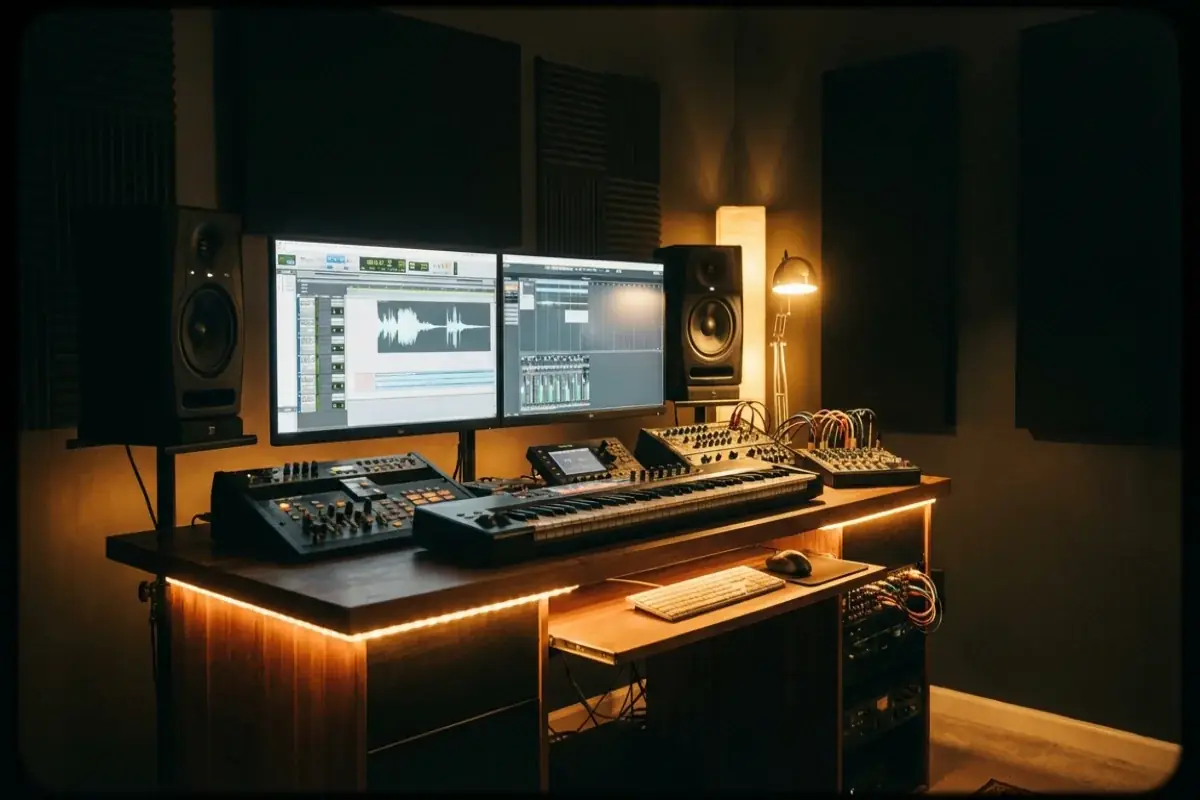
Every Genre, Every Mood
Explore Beat Styles
Your Beats, Your Music
Create Beat
How the AI Beat Maker Works
VaelixAi's AI beat maker turns a text description into a polished instrumental track through a multi-stage pipeline. Here is exactly what happens behind the scenes.
- Prompt interpretation. The AI parses your description to identify genre, tempo range, instrument palette, and mood. When you type "dark trap beat with 808 slides," it maps that to sub-bass with portamento, 16th-note hi-hat patterns, sparse snare placement, and a BPM range of 130-160.
- Structure generation. A full song structure is created: intro, verse, chorus, bridge, and outro. Each section has different intensity levels and instrument layers to keep the beat dynamic and engaging.
- Instrumentation and mixing. The AI selects and layers instruments appropriate to the genre. Trap gets 808 kicks and hi-hats. Jazz gets piano, upright bass, and brushed drums. Lo-fi gets warm pads, vinyl noise, and tape-saturated keys. Every element is mixed and EQ'd for clarity.
- Dual variation output. Two completely different takes on your prompt are generated simultaneously. Different drum patterns, different melodic ideas, different arrangements — both faithful to your description but each with its own character. Pick the one that hits harder, or keep both.
The entire process usually takes 2-3 minutes. No DAW, no plugins, no music theory. Just describe the beat and download the MP3.
How AI Beat Making Changes Music Production
AI beat making changes music production by moving the first barrier from software mastery to creative clarity. You no longer need to understand a DAW before you can hear whether an idea works.
| Production Factor | Traditional Beat Workflow | AI Beat Workflow |
|---|---|---|
| Time to first draft | Hours of sound selection, sequencing, and arrangement | Minutes from prompt to mastered instrumental |
| Skill barrier | Requires DAW familiarity, sound design instincts, and mixing practice | Requires a clear brief about style, tempo, instruments, and energy |
| Iteration cost | High; each new direction takes more manual rebuilding | Low; multiple takes can be tested from the same concept quickly |
| Best use | Detailed custom production and stem-level refinement | Rapid ideation, creator work, and non-producer access to usable beats |
- It lowers the financial barrier. You do not need to buy a DAW, plugins, and sound packs just to test one beat idea.
- It lowers the technical barrier. Describing “dark trap beat with 808 slides” becomes enough to get a useful first draft.
- It does not replace deep production work. Producers still win when a release needs stem editing, hand-tuned sound design, or precise arrangement choices.
The practical shift is that more people can reach the “does this idea hit?” moment without spending the session opening plugins before any music exists.
Beat Styles and When to Use Them
The right beat style depends on the job the instrumental needs to do. A study playlist beat, a rap backing track, and a creator intro may all be “good beats,” but they ask for different rhythmic behavior and texture.
| Beat Style | Best For | Keywords To Include In The Prompt |
|---|---|---|
| Trap | Modern rap, sports edits, aggressive creator content | 808 slides, crisp hats, dark synths, hard-hitting low end |
| Lo-fi | Study streams, chill video backgrounds, reflective content | Warm keys, vinyl crackle, soft drums, dusty texture |
| Drill | High-intensity rap, tense edits, darker street energy | Aggressive bass, sliding 808s, sparse melody, bouncing rhythm |
| Boom bap | Lyrical rap, classic hip-hop influence, head-nod grooves | Punchy drums, chopped sample feel, roomy swing, old-school energy |
| R&B / Soul | Singing, romantic content, smooth personal storytelling | Lush chords, soft percussion, warm bass, intimate groove |
| Jazz / Chill instrumental | Ambient content, sophisticated background music, mellow playlists | Piano, brushed drums, upright bass, relaxed swing, late-night mood |
- Start from use case before genre loyalty. If the beat is for a study channel, lo-fi may fit better than trap even if you prefer trap.
- Use instrument clues when styles overlap. “R&B with warm Rhodes and soft percussion” gives better direction than just “smooth beat.”
- Let energy guide structure. Intense styles want sharper dynamics, while background-focused beats need restraint to leave room for the rest of the project.
When in doubt, describe both the lane and the use case: “lo-fi beat for late-night studying” or “trap beat for sports edits.” That usually narrows the result faster than genre alone.
How to Use AI-Generated Beats in Your Projects
AI-generated beats become more valuable when you know what role they play in the final project. The same instrumental can be a vocal foundation, creator asset, prototype, or background layer depending on how you use it.
| User | How The Beat Gets Used | Why AI Helps |
|---|---|---|
| Rappers and vocalists | Record vocals over the MP3 as a quick writing or demo foundation | Fast way to test flow ideas before full studio production |
| Content creators | Use instrumentals for YouTube, TikTok, Reels, podcasts, and channel intros | Original background music reduces overlap with stock libraries |
| Producers and musicians | Prototype arrangement ideas before rebuilding or refining them in a DAW | Lets you audition multiple directions rapidly |
| Educators and presenters | Add atmosphere to lesson videos, explainers, and presentations | Quickly matches tone without commissioning custom audio from scratch |
| Gamers and streamers | Create stream intros, alert beds, and branded background loops | Makes the channel feel more ownable than generic stock beat packs |
- Use AI beats when uniqueness matters. The advantage over stock music is that your beat is generated for your project instead of pulled from a public catalog.
- Use them as a sketch or a final asset. Some beats are good enough to ship immediately; others work better as prototypes you rebuild later.
- Match licensing to the project. Creator or Studio matters when the beat is going into monetized or client-facing work rather than only personal experiments.
If the beat is mainly a foundation for a rap track, pair it with the AI rap generator. If it is the final background layer for creator or presentation work, the beat itself may already be the finished asset.
Tips for Writing Better Beat Prompts
The quality of your AI-generated beat depends heavily on how you describe it. Vague prompts produce generic results. Specific prompts produce beats that match your vision. Here are proven techniques for getting better output from the AI beat maker.
Name the genre and sub-genre. "Beat" is too broad. "Trap beat" is better. "Dark trap beat with Memphis influence" is best. Sub-genre labels carry a lot of implicit information — the AI knows that Memphis rap means lo-fi textures, pitched vocal samples, and heavy 808s without you spelling that out.
Describe the energy level. A "chill lo-fi beat" and an "energetic lo-fi beat" produce very different results even though both are lo-fi. Words like "aggressive," "mellow," "bouncy," "dark," "uplifting," and "dreamy" set the emotional tone that shapes every production decision.
Reference specific instruments. Instead of hoping the AI picks the right sounds, name them: "808 bass with slides," "acoustic piano chords," "vinyl crackle," "distorted synth lead," "fingerpicked guitar." The AI maps these instrument names to its sound palette and builds the arrangement around them.
Include tempo when it matters. Most genres have a default BPM range the AI falls back to, but if you want something specific — say a drill beat at 140 BPM instead of the typical 145 — state it explicitly. This is especially useful when you plan to record vocals over the beat and need a specific pace.
Describe the vibe, not just the sound. Context helps the AI make better creative decisions. "A beat that sounds like driving at night through a city" or "something you'd hear in a skateboarding video" gives the AI a scene to score, which often produces more cohesive and interesting results than pure technical descriptions.
If your first result is close but not quite right, adjust one element at a time rather than rewriting the whole prompt. This helps you understand which words have the biggest impact on the output.
AI Beat Maker vs DAW Production — When to Use Each
AI beat making and traditional DAW production are not competitors — they solve different problems. Understanding when to use each approach saves time and produces better results.
| Factor | AI Beat Maker | DAW Production |
|---|---|---|
| Time to first beat | A few minutes | 2-8 hours |
| Learning curve | None — just type a description | Months to years of practice |
| Cost | Free tier available, Pro from $9.9/mo | $200-600 for DAW + $100s for plugins |
| Customization | Prompt-level control over style and mood | Complete control over every sound and note |
| Best for | Rapid prototyping, content creation, non-producers | Professional releases, precise mixing, sound design |
| Output format | Mastered MP3 ready to use | Multi-track stems for further processing |
Use the AI beat maker when: you need a beat fast, you are not a producer, you want to test an idea before investing studio time, or you need background music for content. The AI is also valuable for rap projects where you want to focus on writing lyrics rather than producing instrumentals.
Use a DAW when: you need precise control over every element, you are producing a commercial release that requires specific mixing and mastering, or you want to manipulate individual stems and layers. Many producers use AI-generated beats as starting points — generate the foundation, then import the MP3 into your DAW and build on top of it.
The two approaches work well together. Use the AI to rapidly explore 10 different directions in 20 minutes, find the one that resonates, then recreate and refine it in your DAW with full control. This "AI-first prototyping" workflow is becoming standard among independent producers who want to move fast without sacrificing quality. For electronic and dance music production, this hybrid approach is especially effective because these genres rely heavily on sound design and arrangement — areas where AI provides solid foundations that you can customize.
AI Beat Maker Resources
Use these resources when a beat is heading into a creator project, a rap track, or a public release that needs license clarity.
- AI music for YouTube creators. Match a beat to channel intros, podcast openers, sponsor beds, and other creator-facing use cases.
- YouTube intro song prompts. Copy prompt patterns when the beat is the foundation for a creator intro or branded loop.
- AI rap song prompts. Pair a beat with rap prompt patterns for trap storytelling, boom bap, drill, melodic celebration, and reflective comeback lanes.
- Creator intro examples. Hear finished creator-facing tracks where the beat is the central asset.
- Commercial use scope. Check the license state before using a beat in public, monetized, client, sponsored, or promotional work.
How It Works
Describe Your Beat
Tell us what kind of beat you want — tempo, vibe, instruments.
Choose a Genre
Pick from trap, lo-fi, EDM, jazz, rock, and more.
Download Your Beat
Get your AI-generated beat as MP3 and start creating.
Ready to get started?
Create AI Beat Maker NowExplore More AI Music Tools
Diss Track Generator
Drop AI diss tracks with real audio — bars, beat, and vocals in minutes.
AI Rap Song Generator
Turn a topic into a full rap track with bars, beat, and vocals.
AI Cover Song Generator
Upload a song and create an AI cover in any style.
Text to Song Generator
Paste any text and turn it into a full song with vocals and melody.
AI Lyrics Generator
Generate original song lyrics with verses, chorus, and bridge.
AI Beat Maker FAQ
Create Your Perfect Beat with AI
Describe your ideal beat. Pick a genre. Download in minutes.
Try AI Beat Maker